Media Bay
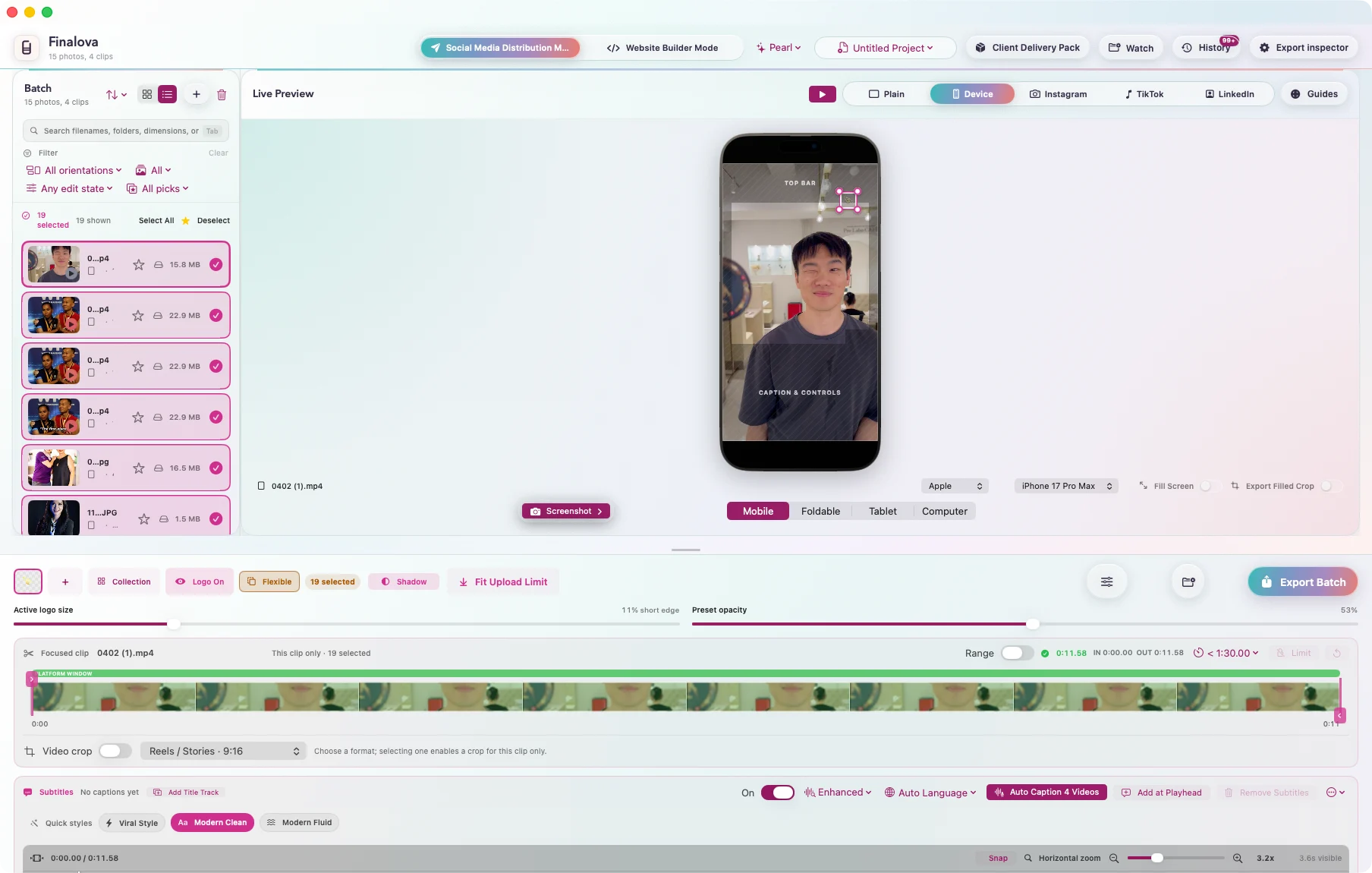
Bring hundreds of photos and videos into one coherent job. Filter, select and apply batch decisions without rebuilding a timeline for every destination.
Finalova · Media finishing for Mac
Turn one approved edit into the social, website and client versions it actually needs, without rebuilding the work for every destination.
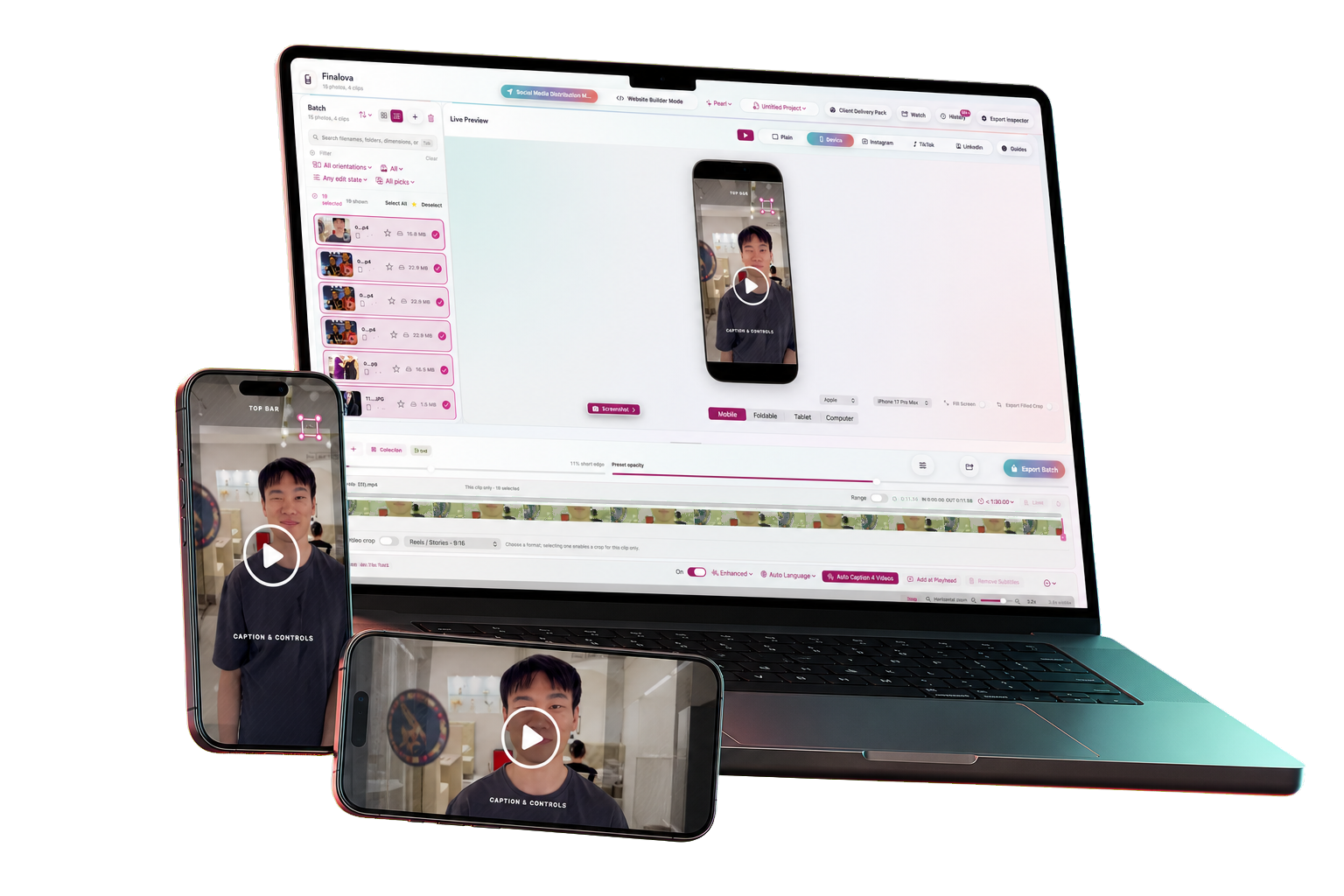
The missing half of post-production
Social crops, branded versions, clean masters, captions, compressed web files and client folders are the delivery. Finalova keeps those decisions together so a change can be reviewed once and carried through every required output.
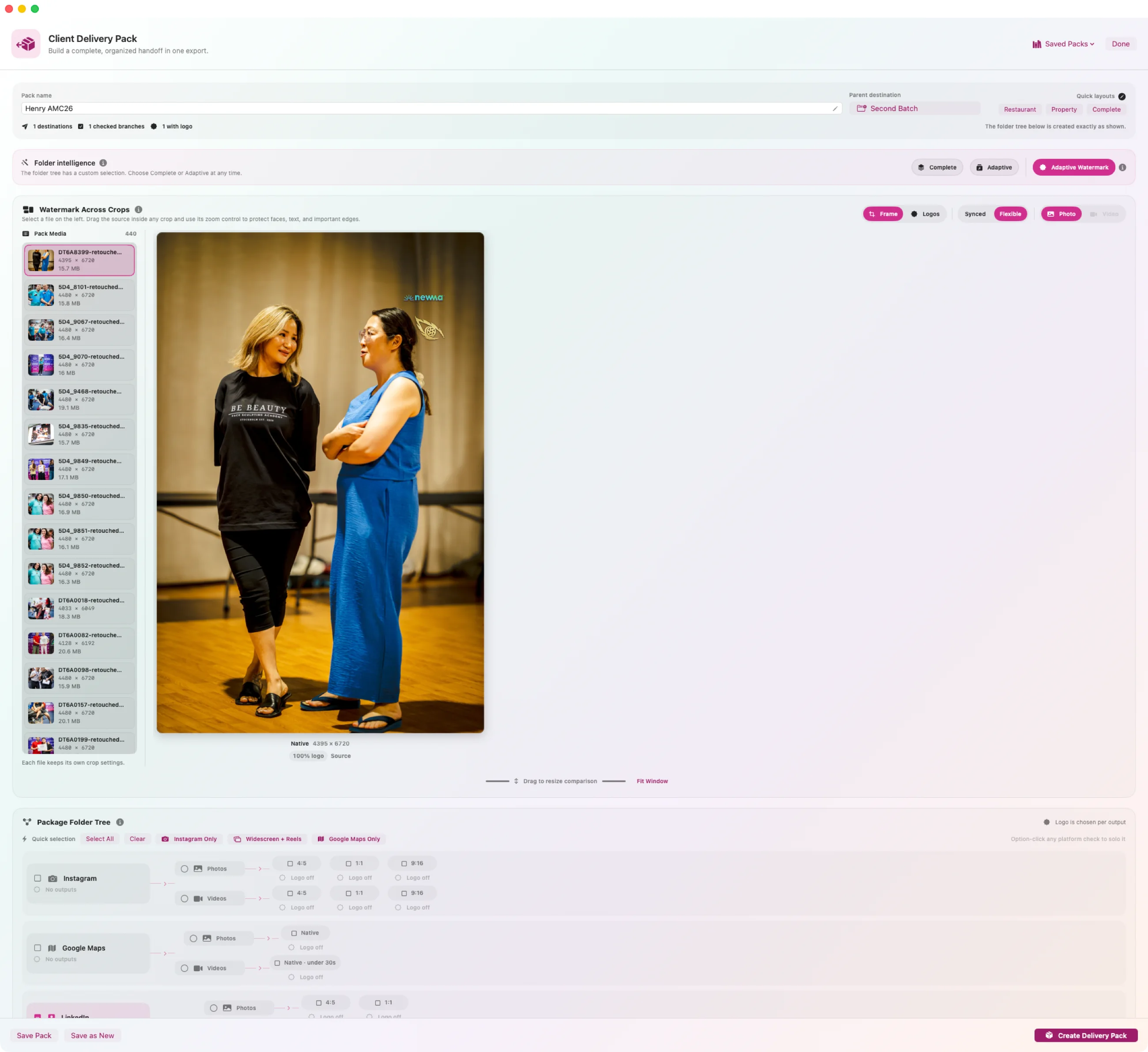
Client Delivery Pack
Define the complete delivery once: social crops, clean masters, website media, naming and folder structure. Finalova builds the useful branches in a single batch export and leaves empty destinations out.
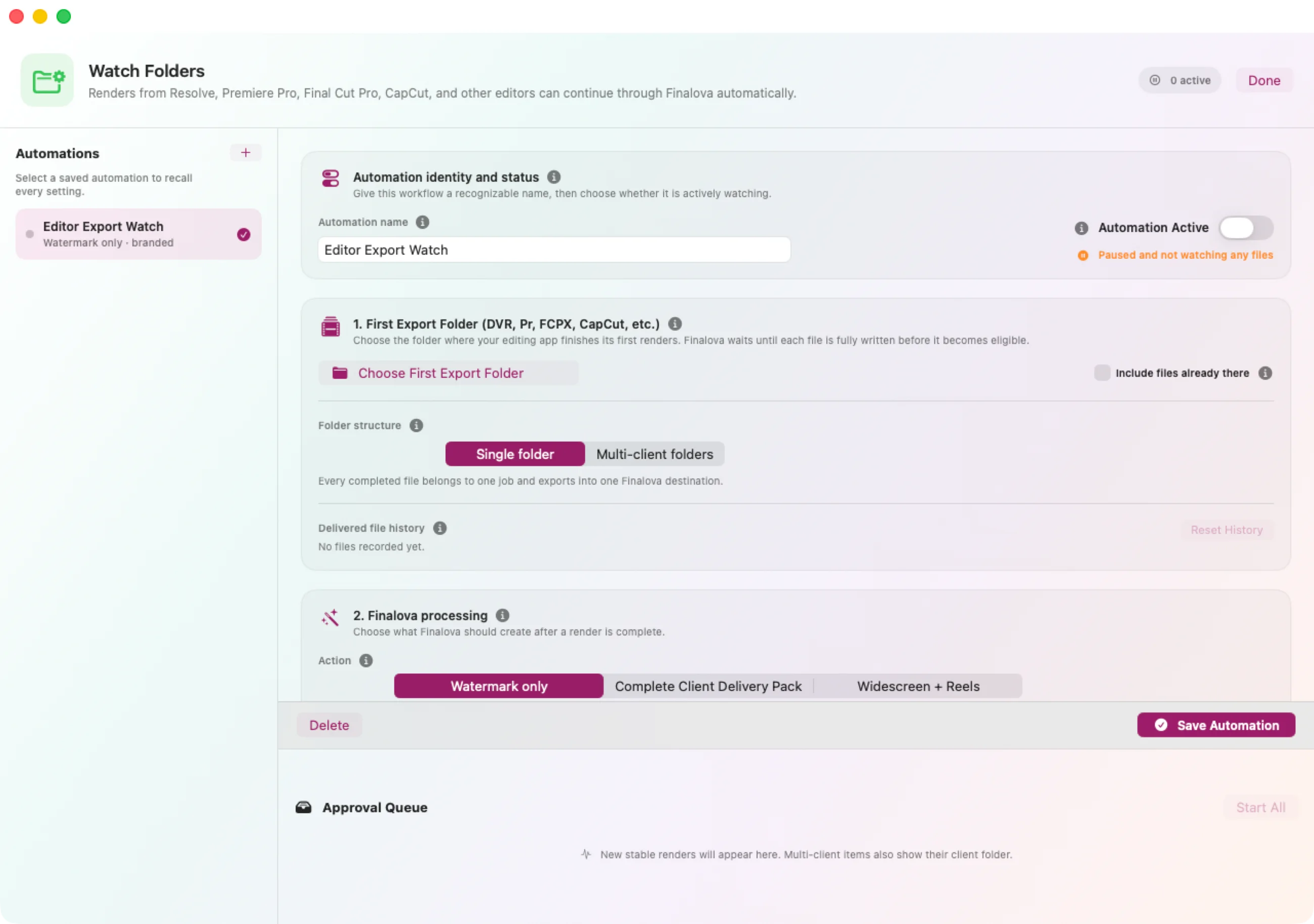
Watch Folders
Point Finalova at the folder where Resolve, Premiere, Final Cut or CapCut finishes a render. It waits until the file is complete, then applies the approved crop, branding, caption, duration and delivery rules while you move to the next job.
Website Builder Mode
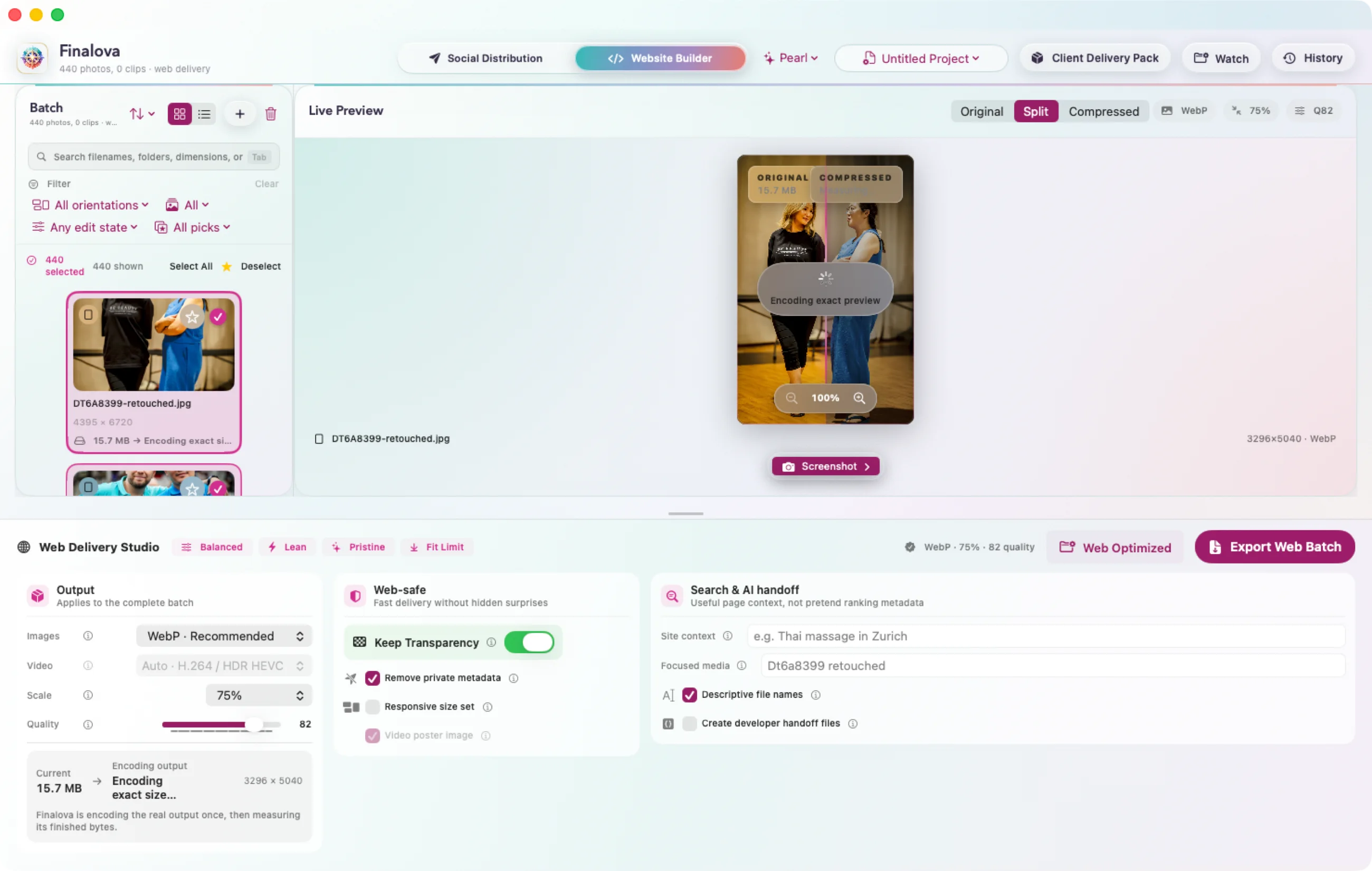
Export WebP, AVIF, JPEG, PNG or HEIF against a real file-size target. Finalova performs the encode, measures the finished bytes and lets you compare the original with the compressed result through a draggable split before delivery.
The daily workbench
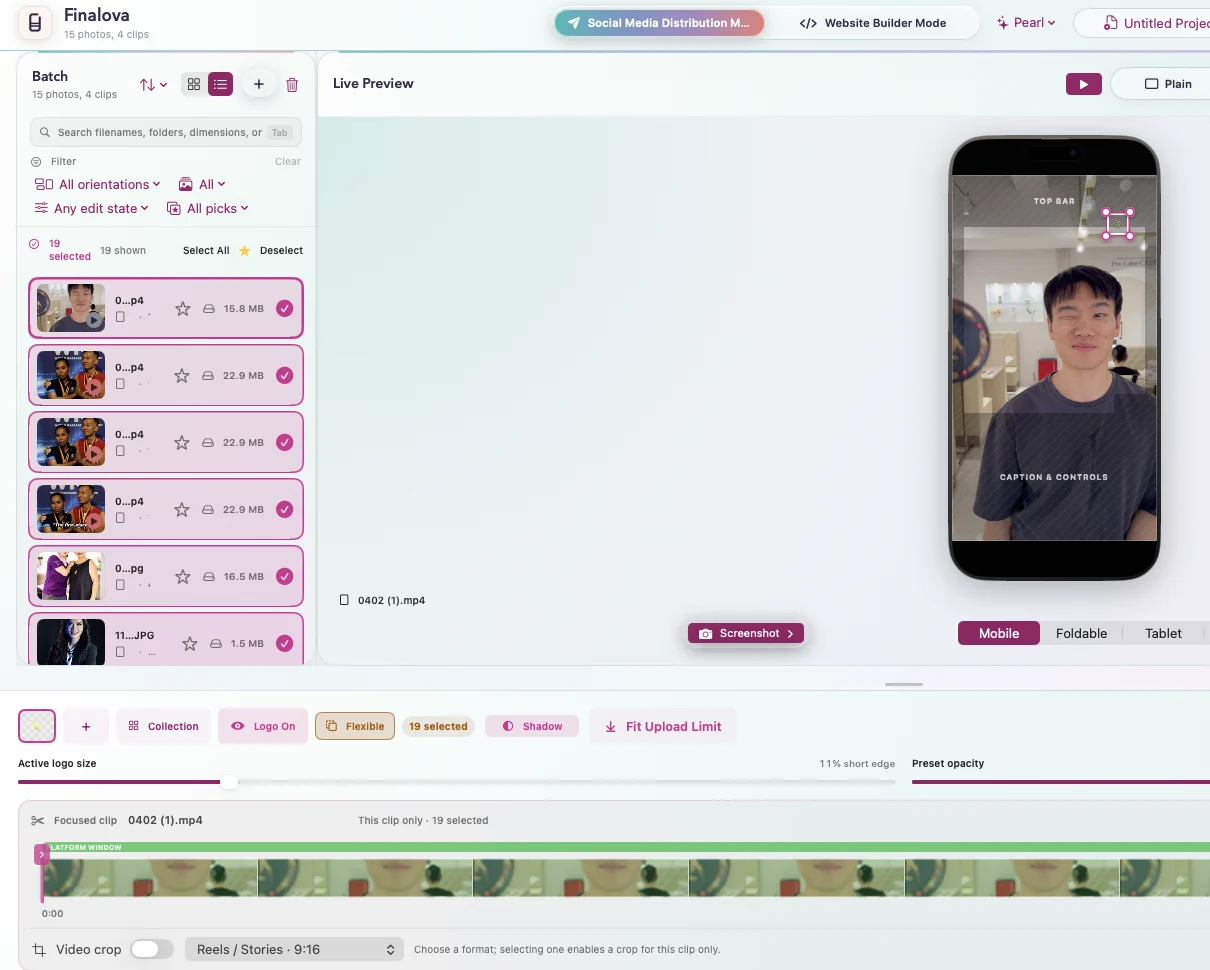
Bring hundreds of photos and videos into one coherent job. Filter, select and apply batch decisions without rebuilding a timeline for every destination.
Preview 9:16, 4:5, 1:1 and 16:9 together, reposition in real time and keep a watermark optically balanced instead of copying one percentage across every shape.
Transcribe on your Mac, refine the timing on an editable caption track and preview the same result that will be written into every requested export.
See beyond the crop, keyframe the subject and create smooth reframing while every destination remains visible in the same workspace.
Native architecture
Metal-backed Core Image, VideoToolbox and Apple’s media engines. It is not a web wrapper or an upload queue. Originals stay untouched, processing stays local and the geometry you approve is the geometry Finalova exports.
Four hours of versions become one decision.